Your code
Choose one project. Prepare its repository on GitHub or the source files in a ZIP archive.
Start with a GitHub repository or a ZIP file.
What to prepare, how to request a check, and how to use the results.
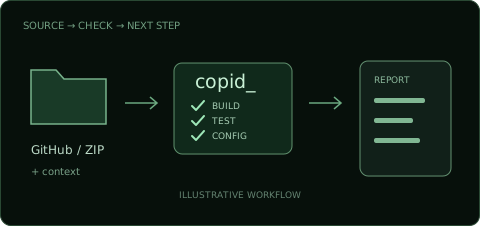
Here is the planned diagnosis workflow.
It does not need to be finished.
Gather your code, what you want to build,
and where things stop working.
Choose one project. Prepare its repository on GitHub or the source files in a ZIP archive.
Briefly describe the feature, the behavior you expect and what actually happens.
Gather error messages, the steps that trigger them and setup information such as a README, where available.
Use the repository if your code is on GitHub.
Use a ZIP to share a set of files from your computer.
Choose the repository and branch for the app you want checked. Make the scope clear if it contains more than one project.
The planned flow is to enter the repository URL in the diagnosis tool. Review the access permissions in the connection screen.
Confirm the branch and code in scope. Connection methods and required permissions for private repositories will be explained when the service is available.
Gather the source, dependency definitions, configuration files and README for the app.
Leave out real secrets, .env files containing credentials and unnecessary personal data. Exclude dependency folders such as node_modules, generated builds and the .git folder from the source ZIP.
The planned flow is to compress the folder as a ZIP and attach it in the tool. Supported formats, size limits and acceptance conditions will be announced when available.
These four details make a useful starting point.
Share what you know.
Example: signed-in users should see only their own data.
Example: login works, but saved data does not appear.
Example: it happens when the list page opens after login.
Example: repairs you requested from AI, the changes made and error messages.
Use code and context to understand the issue.
Review the findings available in your plan
and decide what to work on next.

Light checks are planned to use deterministic tools and a lab for builds, tests, startup and configuration invariants.
Review the issue and repair approach, then continue the conversation with your development AI.
Standard and above include production follow-up. Pro and VIP also include deeper diagnosis, prevention and handover reports.
Before sharing real code, explore example findings and a repair prompt.